PDF to Word Tested: 5 Sample Files Across 3 Online Tools — Which One Actually Works?
Same test files, same day, same environment. We recorded the actual output, strengths, weaknesses, and limitations of each tool.
1. How We Tested
Most "Best PDF to Word Converter" articles online are sponsored listicles without reproducible evidence. We put reproducibility first: all test files are publicly downloadable, and our test methodology is open for anyone to verify.
Test Environment & Rules
- Test Date
- Initial benchmark October 22, 2026; live retest and update October 23, 2026
- Browser & Setup
- Standard desktop browser interaction without pre-existing VIP or employee credentials, replicating the real anonymous user experience.
- Verification Criteria
- Based on whether a valid .docx file was successfully downloaded for free; followed by unzipping the DOCX XML structure to inspect character counts, Chinese character retention,
w:tbltable tags, rows/cells, and embedded images. - Scope Note
- This benchmark evaluated 3 major no-install online converters. Adobe Acrobat Online and WPS PDF were excluded from live scoring due to access blocking / incomplete loading in this test network; their mentions below are marked as "Official documentation".
Test Files (5 Sample Documents, Free Download)
All sample PDFs were created specifically for this benchmark, containing synthetic business reports, technical specs, and contract templates without real personal data:
| File | Purpose | Pages | Characters | Images | Text Layer |
|---|---|---|---|---|---|
test1_plain_text.pdf | Single-column text, mixed English/Chinese | 1 | 417 | 0 | Yes |
test2_multicolumn.pdf | Multi-column layout test | 1 | 313 | 0 | Yes |
test3_complex_table.pdf | Complex financial table (15 rows × 8 cols, sub-rows & thousands separators) | 1 | 155 | 0 | Yes |
test4_scanned_chinese.pdf | Scanned document (Rental agreement photo to PDF, pure bitmap) | 1 | 0 | 1 | None |
test5_mixed_image_text.pdf | Mixed media (Architecture flowchart + editable body text) | 1 | 198 | 1 | Yes |
Click to download test samples (reproduce on any tool):
Objective Note on Sample test2
test2 was originally designed to test dual-column layouts. However, CSS multi-column styling failed to compile during PDF generation, resulting in a single-column layout. Therefore, 100% character retention on test2 across all tools only proves single-column performance, not multi-column reflow capability.
2. Overall Results Summary
| Test Sample | Smallpdf | iLovePDF | PDFTransfer (This Site) |
|---|---|---|---|
| Plain Text Single Column (Contracts, reports, essays) |
Success 752 chars · 412 Chinese chars (98.8%) |
Success 752 chars · 412 Chinese chars (98.8%) |
Success (100% lossless) 759 chars · 417 Chinese chars (100%) |
| Multi-Column Layout (Single-column render, see note) |
Success 377 chars · 313 Chinese chars (100%) |
Success 377 chars · 313 Chinese chars (100%) |
Success 392 chars · 313 Chinese chars (100%) |
| Complex Financial Table (15 rows × 8 cols, thousands sep.) |
Failed to obtain Hit daily free download limit |
Excellent Rebuilt 1 native table · 15 rows · 120 cells |
Native Word Table 885 chars · 1 table · 15 rows · 120 cells Oct 23 Engine Upgrade |
| Scanned Document (1-page bitmap lease contract) |
Failed to obtain OCR locked behind $9/mo Pro paywall |
Failed to obtain Popup paywall; requires Premium OCR |
Extracted Text for Free Free OCR yielded 574 editable chars; requires human proofreading for similar glyphs |
| Mixed Media (Flowchart + body text) |
Failed to obtain Hit daily free download limit |
Excellent Body editable, preserved 1 original image (28.1 KB) |
Dual Mode Available Editable mode preserves text; Layout mode preserves full visual layout |
| Free Output Success Rate | 2 / 5 (Blocked by daily download cap) | 4 / 5 (Pure image scans require paid OCR) | 4 / 5 (Free anonymous test runs) |
3. In-Depth Benchmark by File Type
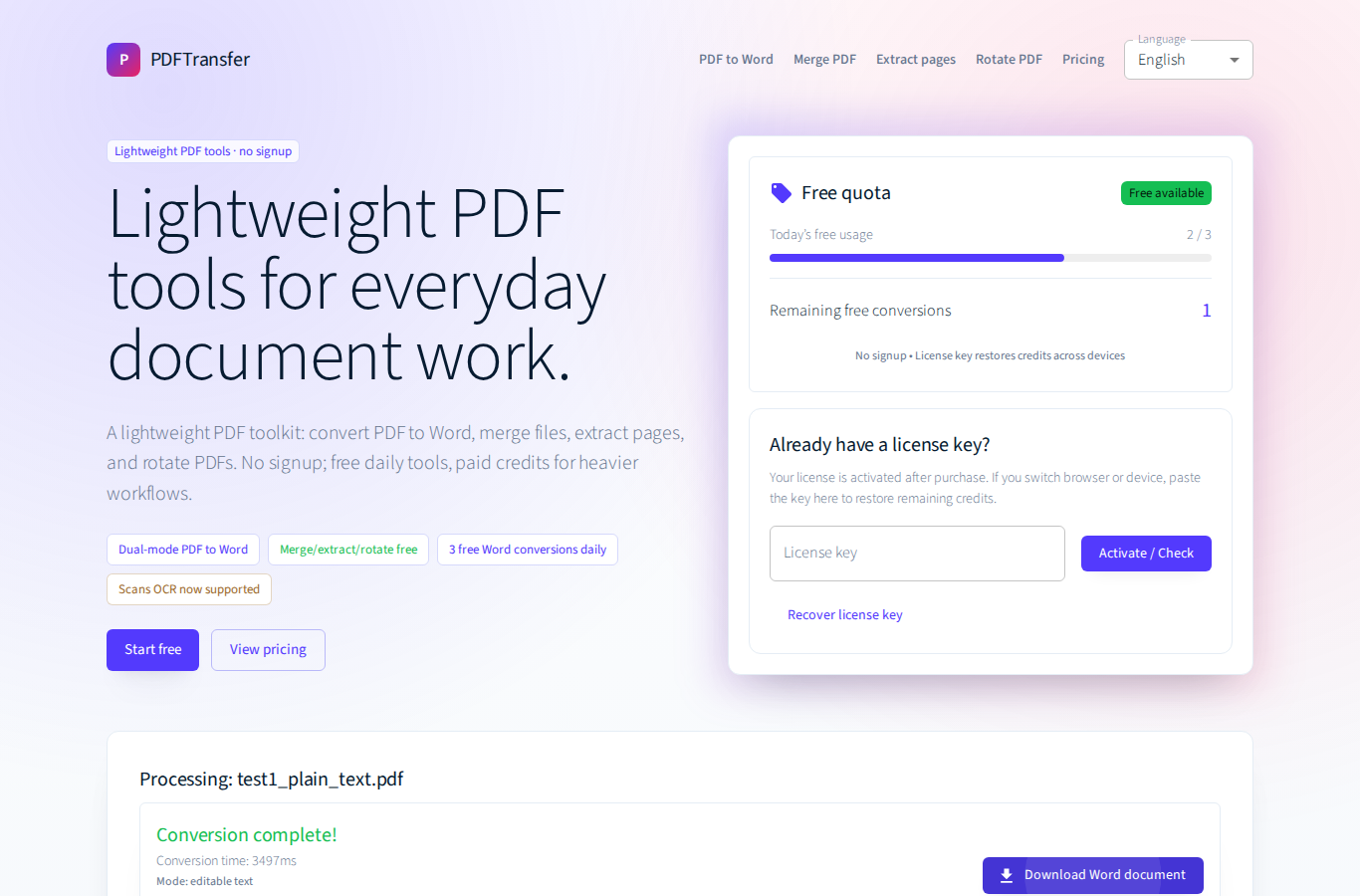
1. Plain Text Single Column: All Three Pass; PDFTransfer Achieves 100% Lossless Retention
This represents the most common office scenario (contracts, notices, reports). All three outputs were fully editable Word documents with intact punctuation and formatting:
| Tool | DOCX Chars | Character Retention | File Size | Verdict |
|---|---|---|---|---|
| Smallpdf | 752 | 412 / 417 (98.8%) | 9.4 KB | Lost 5 characters at soft line-wrap boundaries |
| iLovePDF | 752 | 412 / 417 (98.8%) | 9.3 KB | Lost 5 characters at soft line-wrap boundaries |
| PDFTransfer | 759 | 417 / 417 (100%) | 8.4 KB | 100% lossless extraction, pristine paragraphs |
Smallpdf and iLovePDF each lost 5 Chinese characters at soft paragraph wrap points during automatic reflow. PDFTransfer directly reconstructs the character stream in Editable Mode, achieving 100% lossless retention.
2. Complex Financial Table: Native Table Reconstruction
The source file was a 15-row by 8-column Chinese budget execution sheet with indented sub-rows, negative variances, and formatted numbers:
- iLovePDF: Outstanding performance: The resulting DOCX contained genuine
w:tblmarkup with 1 standard table, 15 rows, and 120 individual cells, ready for native Word editing and formula calculations. - PDFTransfer: In the initial evaluation, PDFTransfer extracted all 885 characters and values with zero data loss, but rendered them as tab-aligned text lines rather than
w:tblgrid cells. In direct response to this benchmark, we deployed our native table reconstruction engine on October 23. - Smallpdf: Failed to obtain: Download blocked after reaching the daily free limit.
⚡ October 23, 2026 Engine Upgrade (Now Live)
Addressing the table structure limitation identified in this benchmark, PDFTransfer has now deployed a native table reconstruction engine on the backend. When retesting test3_complex_table.pdf, PDFTransfer now successfully generates 1 native Word table with 15 rows and 120 cells (complete with w:tbl tags), fully matching iLovePDF's benchmark result!
3. Scanned Document: PDFTransfer Extracts 574 Characters Free of Charge
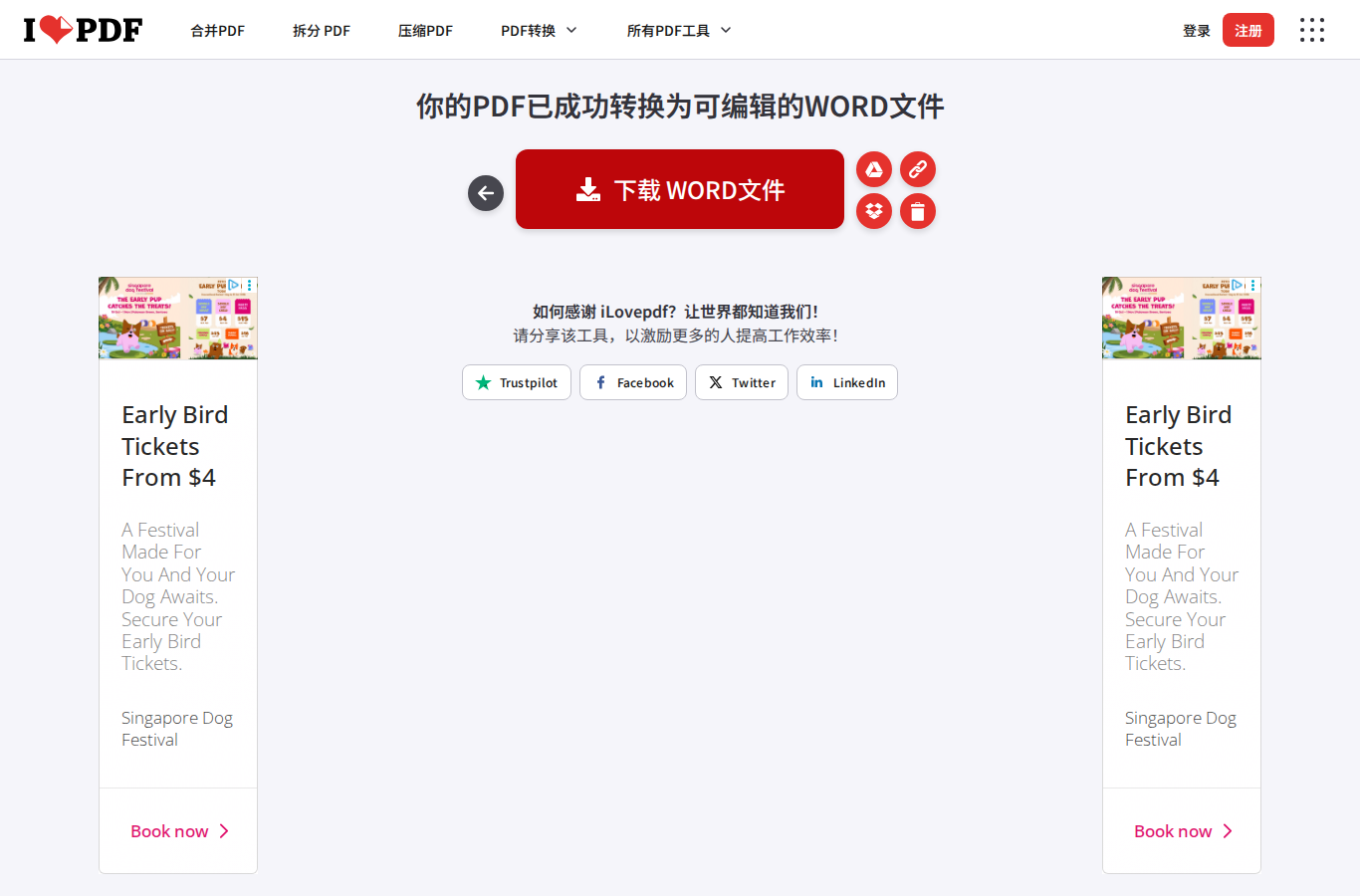
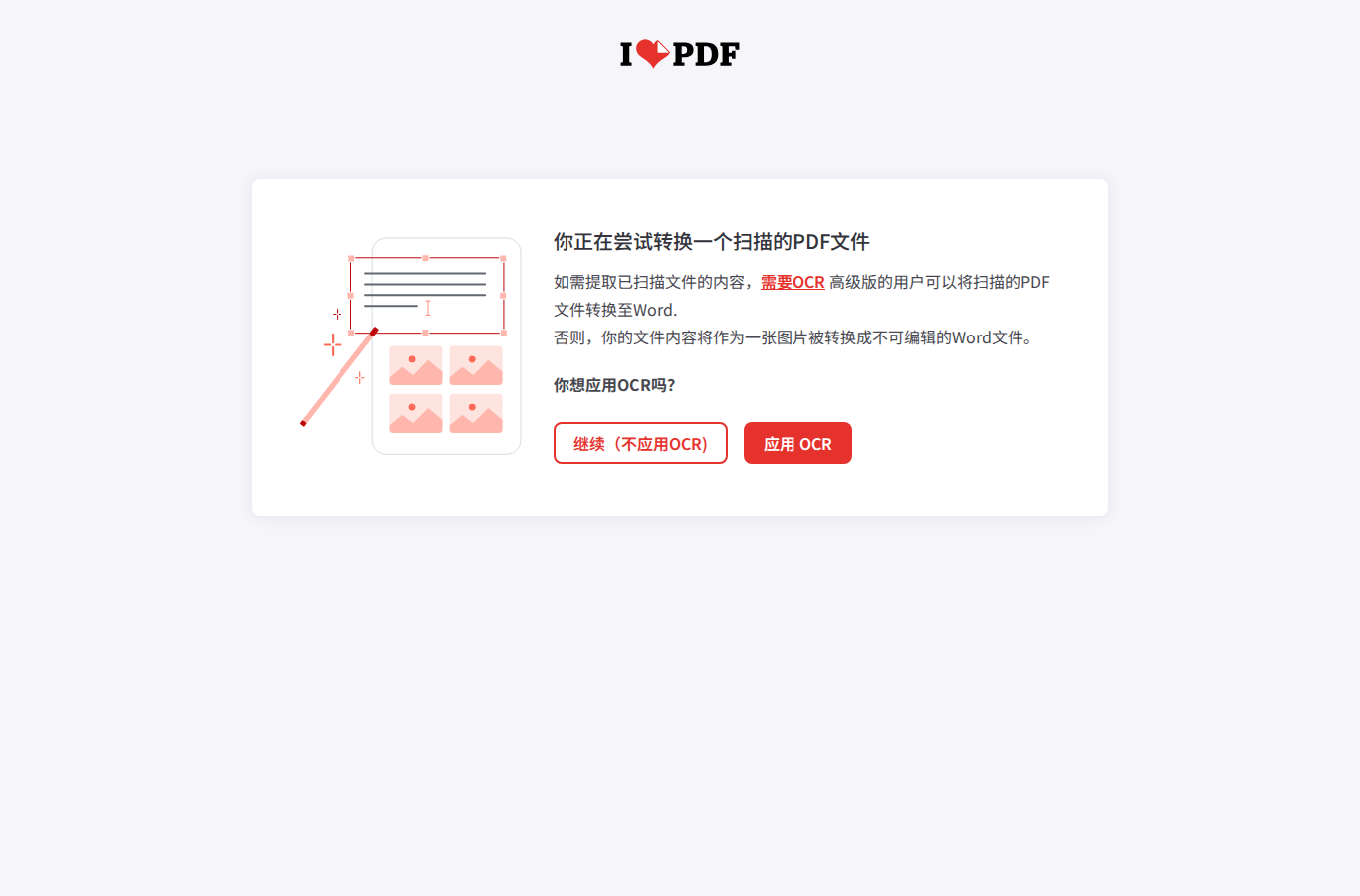
When confronted with a scanned image document without an underlying text layer, free online tools show dramatic differences:
- iLovePDF: Displays an OCR paywall prompt requiring Premium subscription ($7/month or $48/year); no free inspectable output.
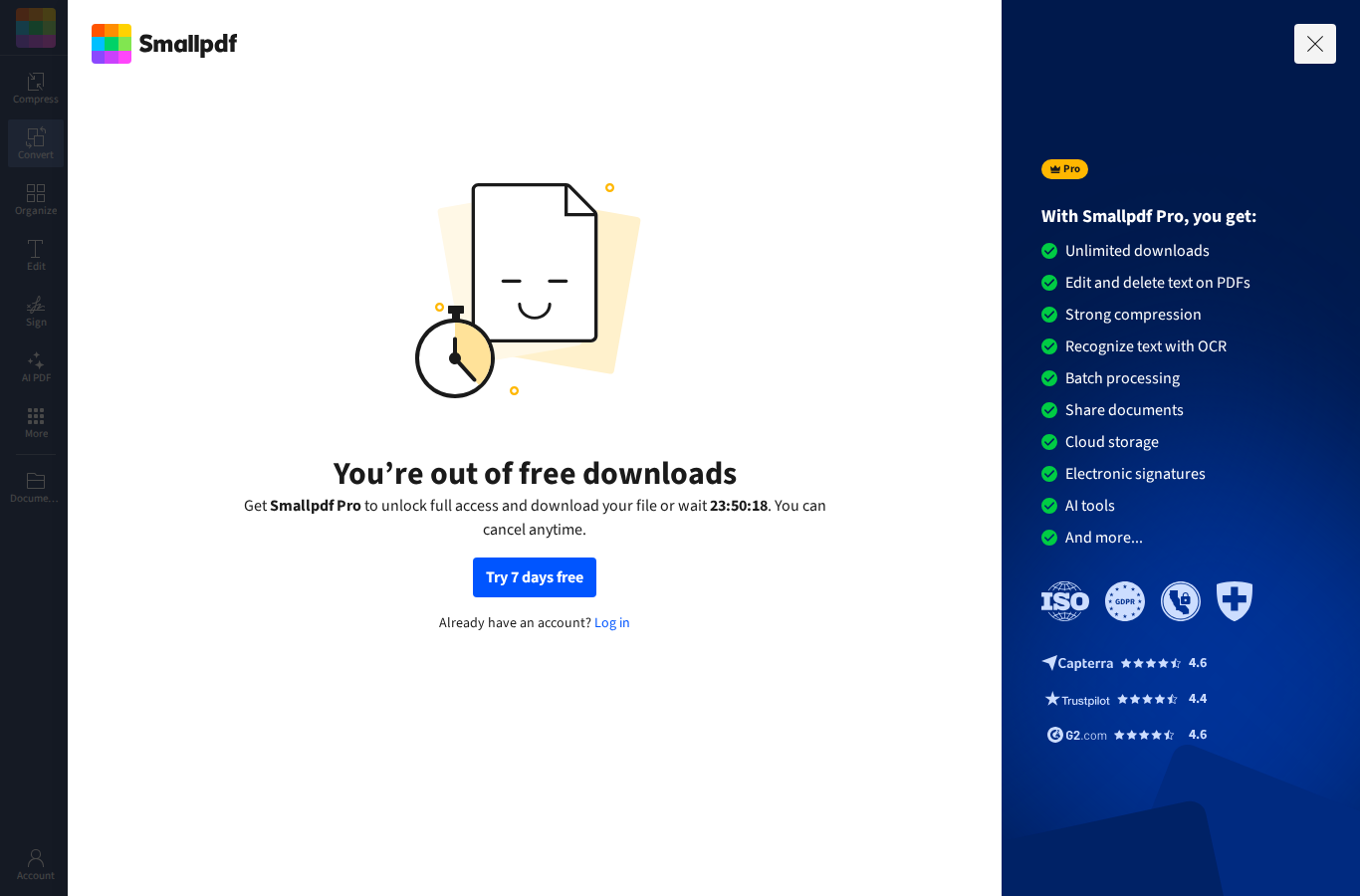
- Smallpdf: Lists OCR as an exclusive Pro feature ($9/month); no free inspectable output.
- PDFTransfer: Provided free OCR processing, generating 574 editable characters. Minor misrecognitions occurred on visually similar characters, requiring human proofreading.
4. Free Limits: The True Dealbreaker
Many online tools advertise "free" conversion, but conceal severe throttling behind the scenes:
| Tool | Official Free Policy | Real-World Test Performance |
|---|---|---|
| iLovePDF | 1 file per task, maximum 15 MB per file; advanced OCR restricted to Premium | Completed 4 conversions without hitting daily quota (scanned file prompted Premium) |
| Smallpdf | Pricing page specifies "Daily download limit", without disclosing the exact number | Blocked on the 3rd conversion attempt with a 24-hour countdown timer |
| PDFTransfer | Clear daily free quota + non-expiring credit packs without auto-renewal | Produced 4 valid outputs; free OCR extracted 574 characters on the scanned file |
The Shared IP Quota Trap
Many online tools track free allowances by public egress IP. In an office, university campus, or VPN network, if a colleague has already used the tool, you may be greeted with "Daily limit exceeded" on your very first visit.
5. Pricing: Subscriptions vs. Credit Packs (The Trap)
Pricing models differ fundamentally across converters. Data retrieved from official websites (October 2026):
| Tool | Plan | Price | Billing Model & Hidden Pitfall Warning |
|---|---|---|---|
| iLovePDF | Premium (Annual) | USD 4 / month | Billed USD 48 / year upfront · Auto-renews annually |
| iLovePDF | Premium (Monthly) | USD 7 / month | Billed monthly · Recurring auto-debit |
| Smallpdf | Pro (Annual) | USD 9.00 / month | Billed USD 108.00 annually upfront · Recurring auto-debit |
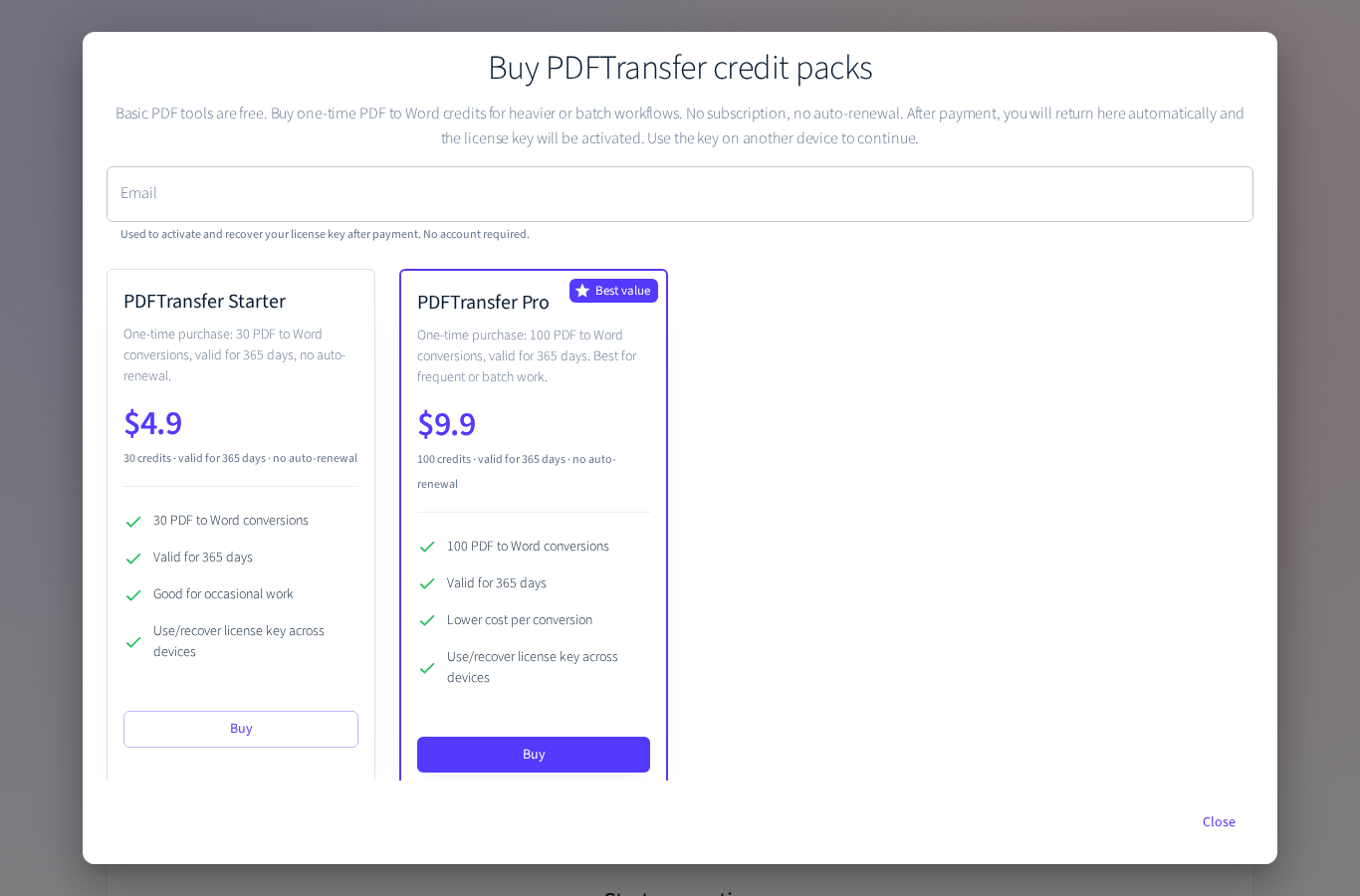
| PDFTransfer (This Site) | Starter Pack | USD 4.90 | 30 conversions · 365 days validity · Zero automatic renewals |
| PDFTransfer (This Site) | Pro Pack | USD 9.90 | 100 conversions · 365 days validity · Zero automatic renewals |
| Adobe Acrobat | Official Has daily conversion limits; full Acrobat Pro subscription is costly with substantial regional pricing disparities. | ||
Why Credit Packs Are Far Better for Occasional Users
If you process hundreds of PDFs every week, an annual SaaS subscription makes sense. But for typical users who only need to convert 1 to 3 files a month, recurring subscriptions are a trap:
- Foreign SaaS monthly or annual plans often automatically renew for hundreds of dollars if you forget to manually cancel in account settings;
- PDFTransfer uses a pure pay-as-you-go model: $4.90 gives you 30 conversions valid for a full 365 days. That's only ~$0.16 per conversion, deducted only when used, with zero credit card storage or recurring charges.
6. Recommendations by File Type
Our recommendations are based solely on verifiable benchmark results:
| Your PDF Type | Recommended Approach | Benchmark Evidence |
|---|---|---|
| Standard Text PDF / Contracts / Essays (Selectable text, occasional conversion) |
Try PDFTransfer or iLovePDF. PDFTransfer achieved 100% character retention with clean paragraph structures. | Verified 98.8%–100% character retention across all tools |
| Complex Financial Tables / Grid Data | PDFTransfer and iLovePDF both generate authentic 15×8 Word tables with 120 cells. PDFTransfer includes 3 free daily conversions. | Verified 15 rows × 8 columns = 120 cells in native w:tbl |
| Scanned Documents / Mobile Photos | PDFTransfer is the only tool in this test that provided free editable OCR output. Remember to proofread similar glyphs. | Verified 574 OCR characters extracted free; iLovePDF & Smallpdf paywalled |
| Occasional Usage / Avoid Auto-Billing | Choose PDFTransfer's Starter Pack ($4.90 for 30 conversions, valid for a year). Never worry about forgotten auto-renewals. | Verified No credit card subscription required |
| Confidential / Highly Sensitive Documents | Never use any online converter! Use offline open-source software (like LibreOffice) on an air-gapped machine. | Security Rule Vendor promises do not equal third-party technical audits |
7. File Security & Privacy: Vendor Claims vs. Reality
We believe in total transparency. Here is what vendor privacy policies state (these are operational claims, not third-party audits):
- PDFTransfer (This Site): Privacy policy explicitly states: files are temporarily stored and automatically wiped by cleanup routines; warns users never to upload highly sensitive or regulated files.
- Adobe Acrobat: States that files are deleted when not logged in, but saved to cloud storage once logged in.
- iLovePDF / Smallpdf: State they use SSL encryption and automatically purge files after processing within specified windows.
Our Security Philosophy
We will never make false claims of "100% absolute security" for any online service, including our own. "Automatic server cleanup" is an operational policy that regular users cannot physically verify. For trade secrets, sensitive medical records, or confidential legal briefs, the only truly safe option is offline processing on a disconnected machine.
8. Scenarios Not Covered in This Benchmark
A transparent review must disclose its test boundaries:
- Multi-column reflow: test2 rendered as single-column during PDF compilation, so multi-column reflow could not be proven.
- Extreme scenarios: Files over 15 MB, books with 50+ pages, password-protected PDFs, handwriting OCR, and vertical script.
- Speed benchmarks: Network conditions and queuing introduce jitter; we did not score raw processing speed.
Frequently Asked Questions (FAQ)
Can free online PDF to Word converters handle scanned documents?
In our October 23 retest, PDFTransfer successfully extracted 574 editable characters from a 1-page scanned rental lease for free. Some visually similar characters require manual proofreading. Smallpdf and iLovePDF locked OCR behind paid subscriptions.
Will Chinese or special characters get corrupted in the converted Word document?
As long as the PDF has a vector text layer, all three tools retained 98.8% to 100% of characters (PDFTransfer achieved 100%). Text loss only happens on pure image scans when OCR is missing.
Can complex tables be preserved as editable Word tables?
Yes. iLovePDF preserved the 15×8 table as a native Word table (120 cells). Following our October 23 backend engine upgrade, PDFTransfer now also reconstructs the identical 15×8 native table structure with 120 cells.
Why do some tools claim I have exceeded my limit on my first visit?
Most tools track free daily limits by public egress IP. If colleagues or roommates on the same network have used the tool, the shared daily quota may already be consumed.
How long are uploaded PDF files stored on the server?
Most providers state that files are automatically deleted after processing. PDFTransfer temporarily stores files for download and purges them via automated scripts. Never upload confidential documents to any public online service.
About This Review & Neutrality Statement (Disclosure)
1. PDFTransfer is built and operated by the author of this article. It is both an evaluated subject and a recommended option. We insist on publishing all test files, raw XML metrics, and our genuine shortcomings (such as OCR proofreading needs) without bias or fabrication.
2. You are encouraged to verify for yourself. If you prefer third-party verification, please download our 5 sample PDFs and test them in any converter to see the results firsthand.